Profile Page
There are two kind of profile page : your profile and other.
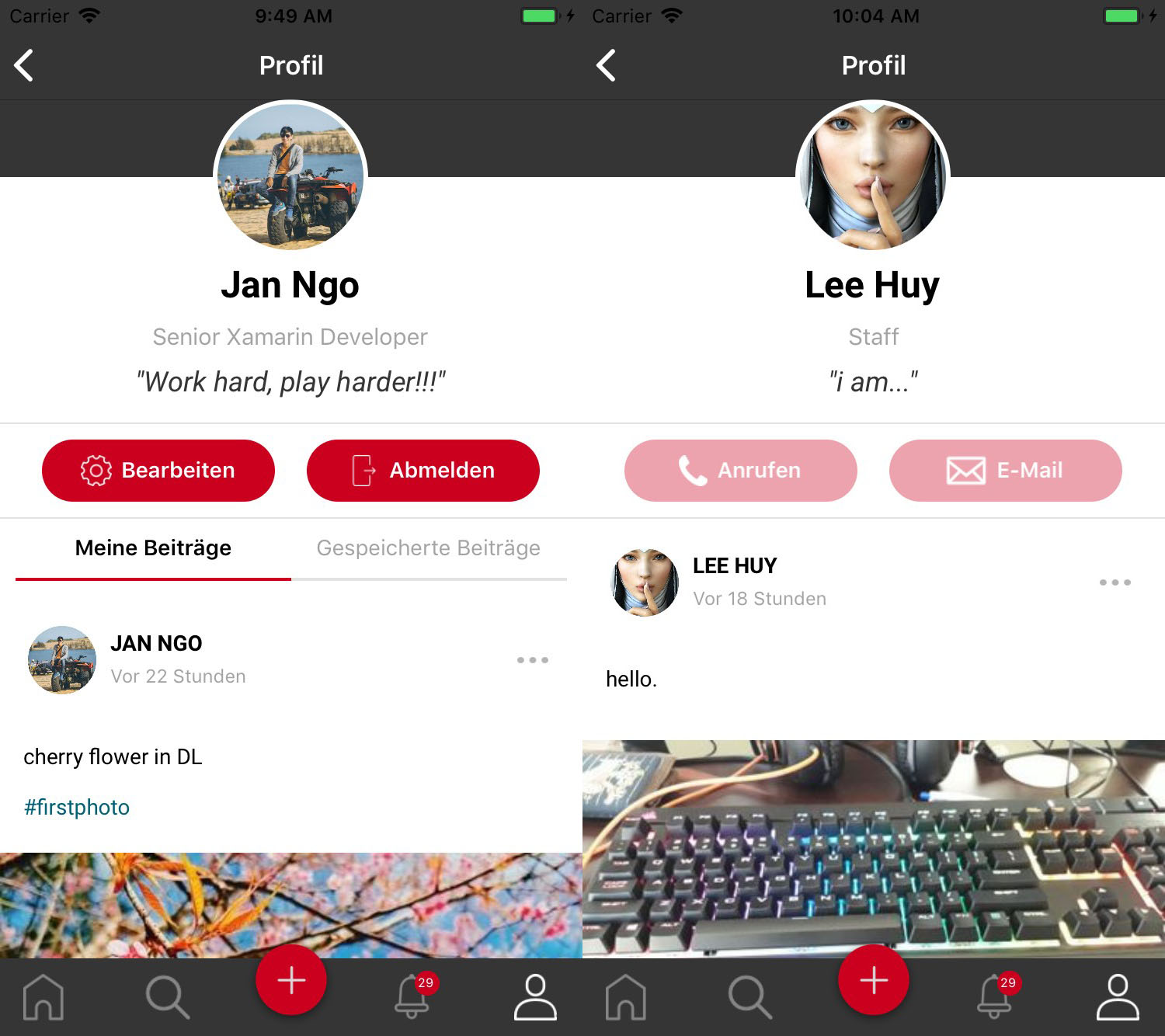
- Your Profile
- Other’s Profile
1. Your profile
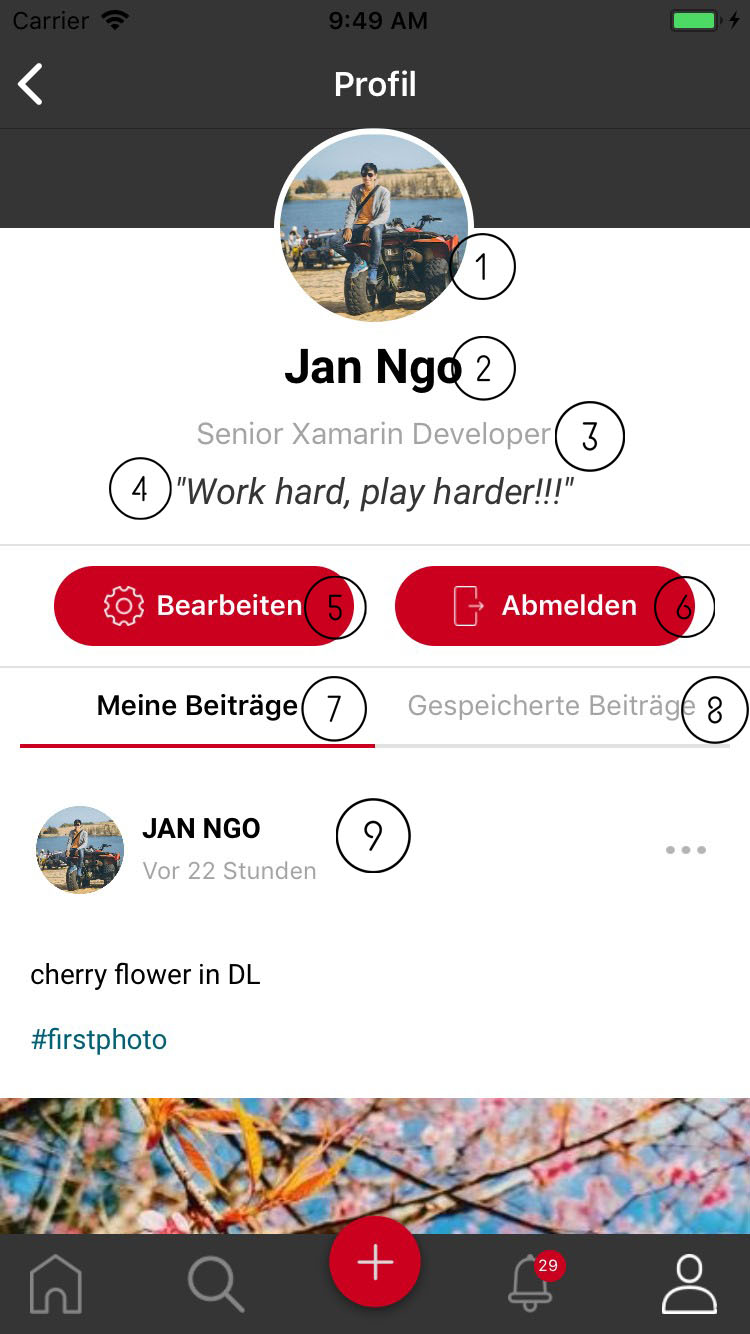
- This screen shows all infomation belong to user.
- Profile picture.
- Fullname
- Position: user can update position description in editting profile page.
- Your sharing status.
- Edit profile button: navigate to editting profile page.
- Logout button: log out of application.
- Tab shows all your posts.
- Tab shows all your saved posts.
- Post list: scroll up to load older post. Scroll down and hold a litle then release to load new post and refresh loaded post.
2. Other’s profile
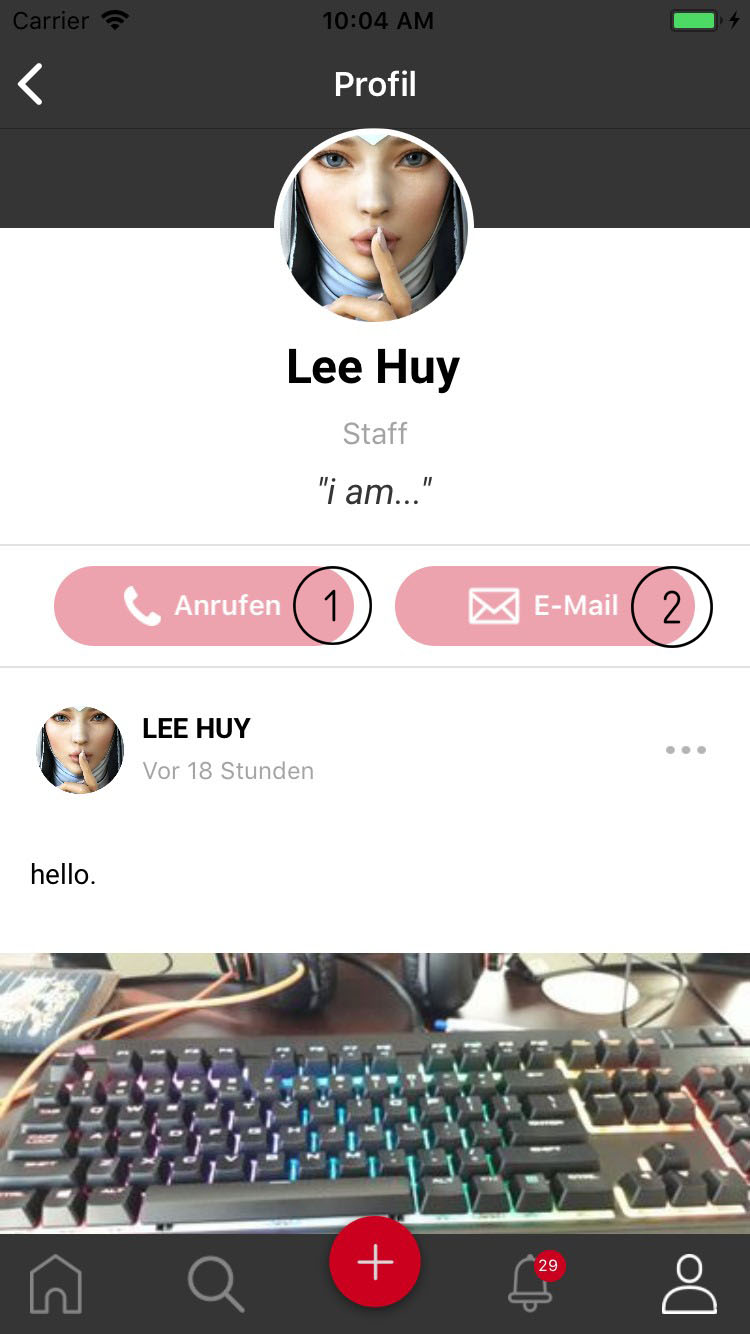
- This screen is similiar to your profile page.
- Call button: show list of phone number if user have more than 1 number or open dial panel.
- Email button: show list of email address if user have more than 1 number or open email app.